EMOTIA Escape Reading BETA Patch Notes
Turn vague update posts into a concrete practice plan.
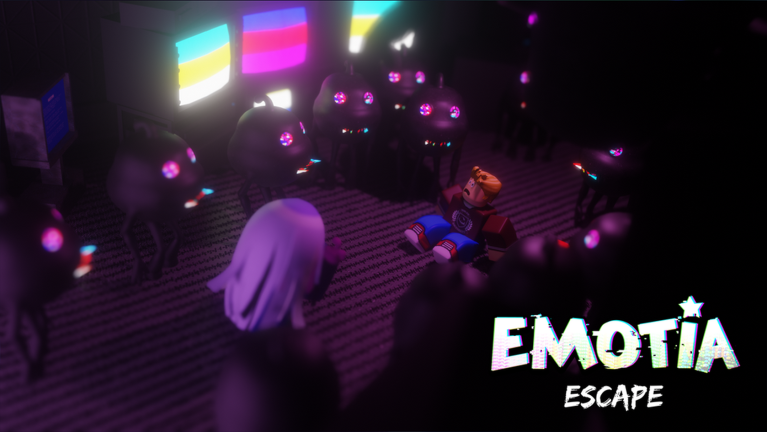
Official EMOTIA Escape notes are not always written like a strategy wiki. This page teaches you how to convert short Roblox posts into actionable checks for your next run.
Step 1 — Find the primary source
Start from the experience page and the creator group. Use our Roblox group and Discord guides to avoid fake mirror servers. If a friend forwards a screenshot with no link, treat it as unverified until you see it in an official surface.
Step 2 — Categorize the change
Label each note as UI, economy, enemy, puzzle/floor, or social/event. UI changes send you to controls and How to redeem. Economy changes send you to Emote and upgrades. Enemy changes send you to entities and survive chases. Floor changes send you to the walkthrough and floor tracker.
Step 3 — Run a verification session
Do not begin a pride clear immediately. Run a short teaching floor. Confirm whether the note is real in your shard. Update party expectations during the party checklist.
Step 4 — Rewrite only what broke
Keep durable habits from How to play and co-op tips. Replace brittle prop orders. If cleansing flow changed, revisit cleanse Emotians.
Step 5 — Economy pass
Did costs change? Did a code drop with the patch? Check the Codes Hub and rewards. Reallocate Emote using best upgrades.
Red flags in “patch notes” you found on social media
- Demands an executor (Scripts)
- Promises free limiteds unrelated to Emote
- Uses a different game’s screenshots
- Claims Trello links when no official board exists yet—see Links
Cadence suggestion
Twice a week during heavy BETA, or immediately when your muscle memory fails twice in a familiar room. Pair with the roadmap page for bigger narrative context.
Beginner note
If you are brand new, read Getting Started before living in patch anxiety. You need a baseline to notice change.
Patch literacy is a skill. Practice it and your guides stay honest.
Template for your patch diary
Date. Source link. Category tags. In-game verification result. Pages to reread. Emote or code impact. Party message you will send. Filling that diary takes three minutes and prevents the “wait, did greenhouse change?” argument that eats half a night. Store it beside your floor tracker notes.
Closing note for this page
Return here when your party’s arguments get abstract. This page exists to make updates → beta-notes decisions concrete inside EMOTIA Escape’s Roblox BETA, where cute threats and real coordination problems share the same hallway. Bookmark the sibling links above, keep Emote spending honest, and treat every wipe as a syllabus update rather than a personality verdict.
Session reminder 1 (updates/beta-notes.json)
Before your next EMOTIA Escape queue on Roblox, reread one section above and name a single concrete action: a role, an Emote buy, a chase lane, or a code check. Keep the official experience favorited, keep lookout discipline boring, and treat every wipe as a syllabus line rather than a personal insult. Reminder token: updates/beta-notes.json#1-618.
Frequently Asked Questions
Quick answers for Emotion Prison runs and Roblox BETA questions.
Where do I find real BETA notes?
Prefer the Roblox experience and official group/community channels over anonymous repost accounts.
What should I do right after a patch?
Categorize changes, run a short verification session, then update upgrades and route notes.
Can patches move puzzles?
Yes. Treat walkthrough details as flexible and re-check live rooms.
Do patches always add codes?
No, but content drops are the most common moment for new codes to appear.
How do I avoid fake notes?
Require a primary link, ignore executor bait, and verify in-game before rewriting your whole plan.
Any extra tip unique to updates/beta-notes?
Yes: reread the internal links on this page before your next EMOTIA Escape queue, confirm your lookout or solo escape plan, and spend Emote only after you can name last wipe’s cause in one sentence.
Any extra tip unique to updates/beta-notes?
Yes: reread the internal links on this page before your next EMOTIA Escape queue, confirm your lookout or solo escape plan, and spend Emote only after you can name last wipe’s cause in one sentence.